How to play
How to Play Meccha Chameleon
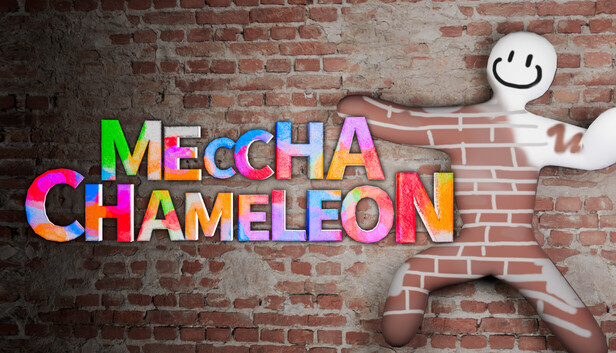
Meccha Chameleon is a multiplayer hide-and-seek game where Chameleons survive by painting, posing, climbing, and blending into the map while Hunters search for shapes, outlines, movement, and color mismatches.
Controls summary
Keep these beginner controls close while learning your first matches. Keybinds can change, so check your in-game settings if your layout is different.
| Key or action | What it does |
|---|---|
| Spacebar | Climb upward on walls, crawl on the ground, or use Eyedropper in Paint Mode. |
| Control | Move down while attached to a wall. |
| Shift | Detach from a wall and fall. |
| R | Open the pose menu. |
| F | Toggle Paint Mode. |
| Left Click | Apply paint. |
| Right Click plus movement or scroll | Adjust brush size in Paint Mode. |
| 3 | Toggle X-Ray paint view. |
| T | Open chat. |
Getting started with servers and lobbies
From the main menu, choose Find Server and use Search to browse public rooms. For a private match, choose Create Server, name the lobby, create it, and invite friends.
Role selection happens in the lobby. Stand inside the central circle if you want to volunteer as a Hunter. Stand outside the circle if you want to play as a Chameleon. If more players volunteer than there are Hunter slots, the game chooses a limited number of Hunters based on the lobby settings.
| Lobby setting | What it changes |
|---|---|
| Number of Hunters | Sets how many players start as Hunters. |
| Hunter Wait Time | Adds a delay before Hunters begin searching. |
| Game Mode | Chooses Normal, Infection, or Double mode. |
| Map Selection | Picks from official maps and Steam Workshop maps. |
Movement basics
Meccha Chameleon gives both roles more mobility than a normal hide-and-seek game. Learn wall climbing and crawling before trying advanced camouflage, because a strong position often matters more than paint alone.
- Approach a wall and hold Spacebar to climb upward.
- Hold Control while attached to a wall to move down.
- Press Shift to detach from a wall and fall.
- Hold Spacebar on the ground to crawl through low or narrow spaces.
- You can hold position on a wall, which makes high and unexpected hiding spots possible.
| Action | Default control |
|---|---|
| Climb upward on a wall | Approach wall and hold Spacebar |
| Move down while attached | Hold Control |
| Detach from a wall | Press Shift |
| Crawl on the ground | Hold Spacebar |
Posing system
Press R to open the pose menu. Poses let you change your body shape so you can look less like a player and more like part of the map. You can use poses on the floor, walls, and ceilings, but leaving a pose or detaching from a wall can make you fall.
- Use crouching or lying poses for shadows, corners, and low furniture.
- Use wall or ceiling poses only after checking whether the silhouette still looks natural.
- Do not rely on color alone. A perfect color still fails if the shape looks like a player.
Paint Mode and Eyedropper
Press F to toggle Paint Mode. Paint Mode lets you recolor your character and adjust material feel so your body better matches nearby walls, props, shadows, or furniture.
While in Paint Mode, press Spacebar to use the Eyedropper. Aim at a nearby surface to sample its color and material properties. This is the fastest way to match the environment before refining details with the brush.
- Left-click applies paint.
- Hold right-click and move the mouse left or right, or use the scroll wheel, to adjust brush size.
- Use the scroll wheel to zoom or move the cursor in Paint Mode.
- Press 3 for X-Ray paint view so you can check hidden sides of your body.
- Use high roughness for dull walls, fabric, and matte props. Use metallic carefully because shine can reveal you.
| Paint action | Default control |
|---|---|
| Toggle Paint Mode | F |
| Use Eyedropper | Spacebar while in Paint Mode |
| Apply paint | Left-click |
| Adjust brush size | Right-click plus mouse movement or scroll wheel |
| Toggle X-Ray paint view | 3 |
Three reliable camouflage approaches
The strongest Chameleon play combines location, pose, color, texture, and timing. Beginners should master simple shadows first, then object mimicry, then precision wall camouflage.
- Shadow hiding: use dark corners, areas behind doors, under stairs, and other low-light places. Sample the shadow color and lie flat or crouch, but rotate spots because Hunters check these areas often.
- Object mimicry: stand beside objects such as furniture, balloons, or fixtures, pose to match their shape, sample their material, and avoid burying too much of your body inside the object.
- Precision wall camouflage: choose a textured wall, pose flat against it, sample multiple nearby colors, use a small brush, and paint all visible sides until your outline is the only real weakness.
Body burial and perspective mistakes
Avoid pushing your model too deeply inside objects. If the game warns that your body is buried too much, continued clipping can reveal your location to Hunters. The safer play is to look blended while still staying physically readable as a separate object or surface.
- Your Chameleon view is not always the same as the Hunter view.
- Hunters may notice outlines, brightness shifts, or color mismatches that look fine from your camera.
- Check your hiding spot from multiple angles before committing.
Playing as a Hunter
Hunters win by being systematic. Do not only chase the first suspicious prop. Sweep each room section by section, compare repeated objects, and use angles to confirm whether something belongs there.
- Check dark corners and shadow spots first because many Chameleons start there.
- Look for unusual silhouettes, color shifts, material shine, or objects that break a repeated pattern.
- Look up. Ceiling and wall poses are easy to miss when Hunters only scan at eye level.
- Shoot suspicious targets when the game allows it; missed checks are less costly than ignoring a strong clue.
- In team modes, communicate with other Hunters and split routes so the same room is not checked twice while another room stays untouched.
Final beginner advice
Survival in Meccha Chameleon is not just color matching. The best disguise also matches shape, surface, lighting, location, and timing. As a Chameleon, choose a believable setup before painting. As a Hunter, trust repeatable sweeps and investigate anything that breaks the room pattern.
- Start with simple believable hiding spots before attempting ceiling tricks.
- Paint after you choose the spot, not before.
- Hunters should compare the room against memory, not only against what is directly in front of them.